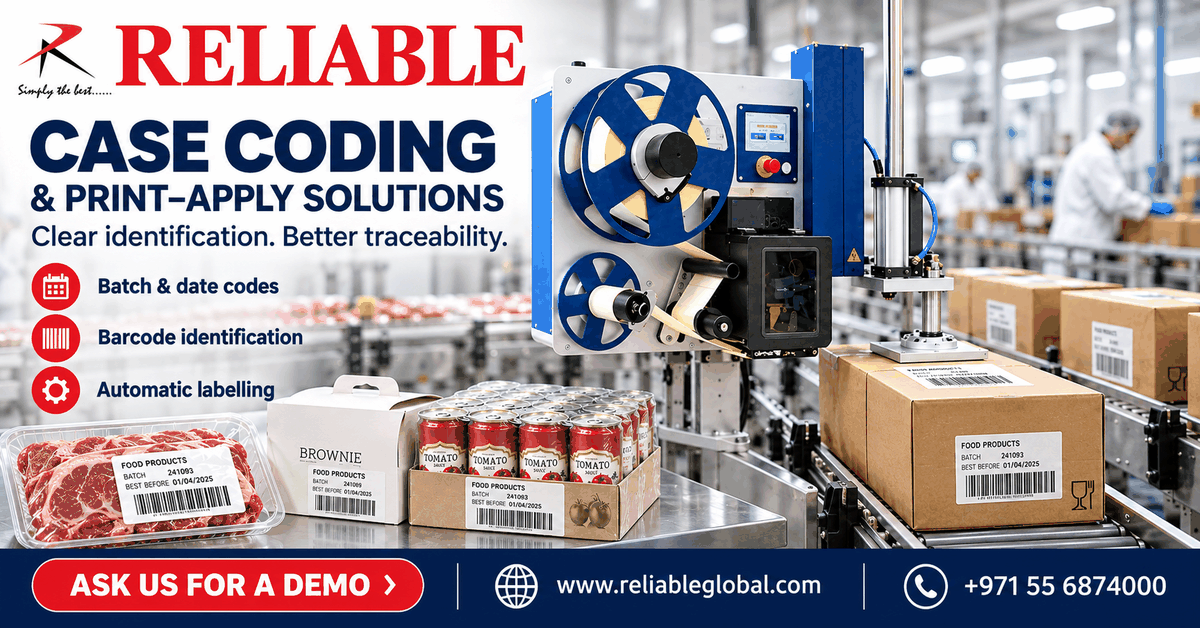
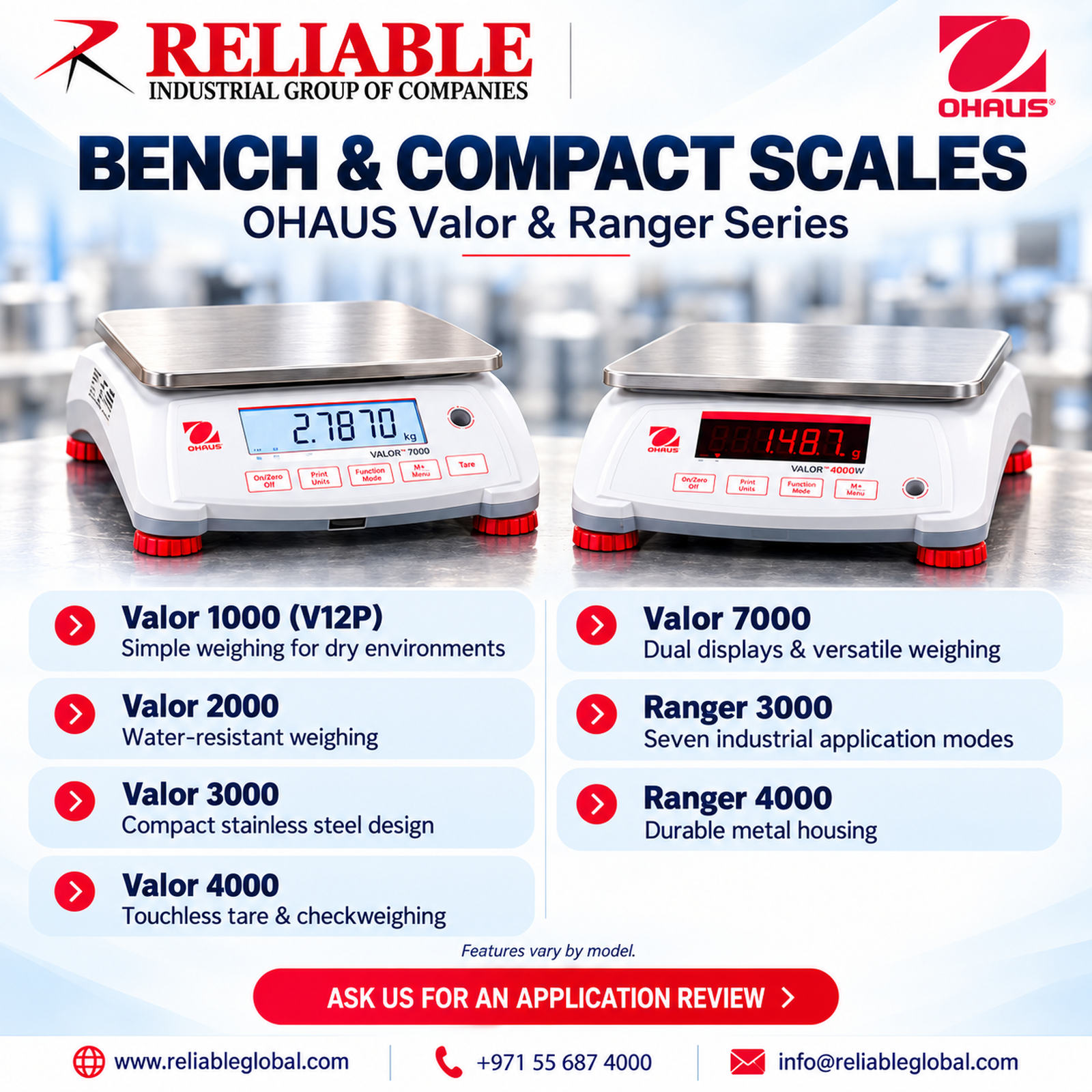
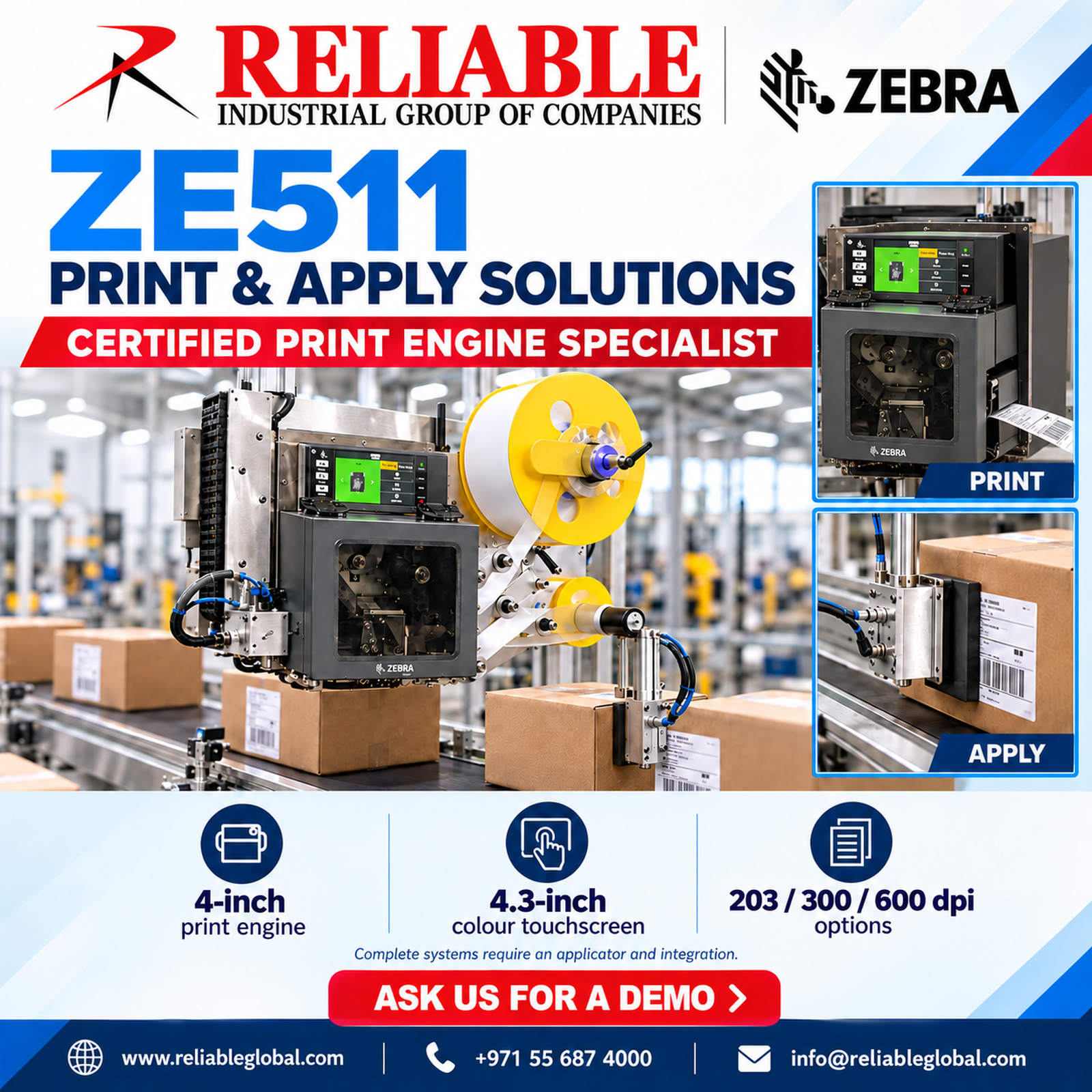
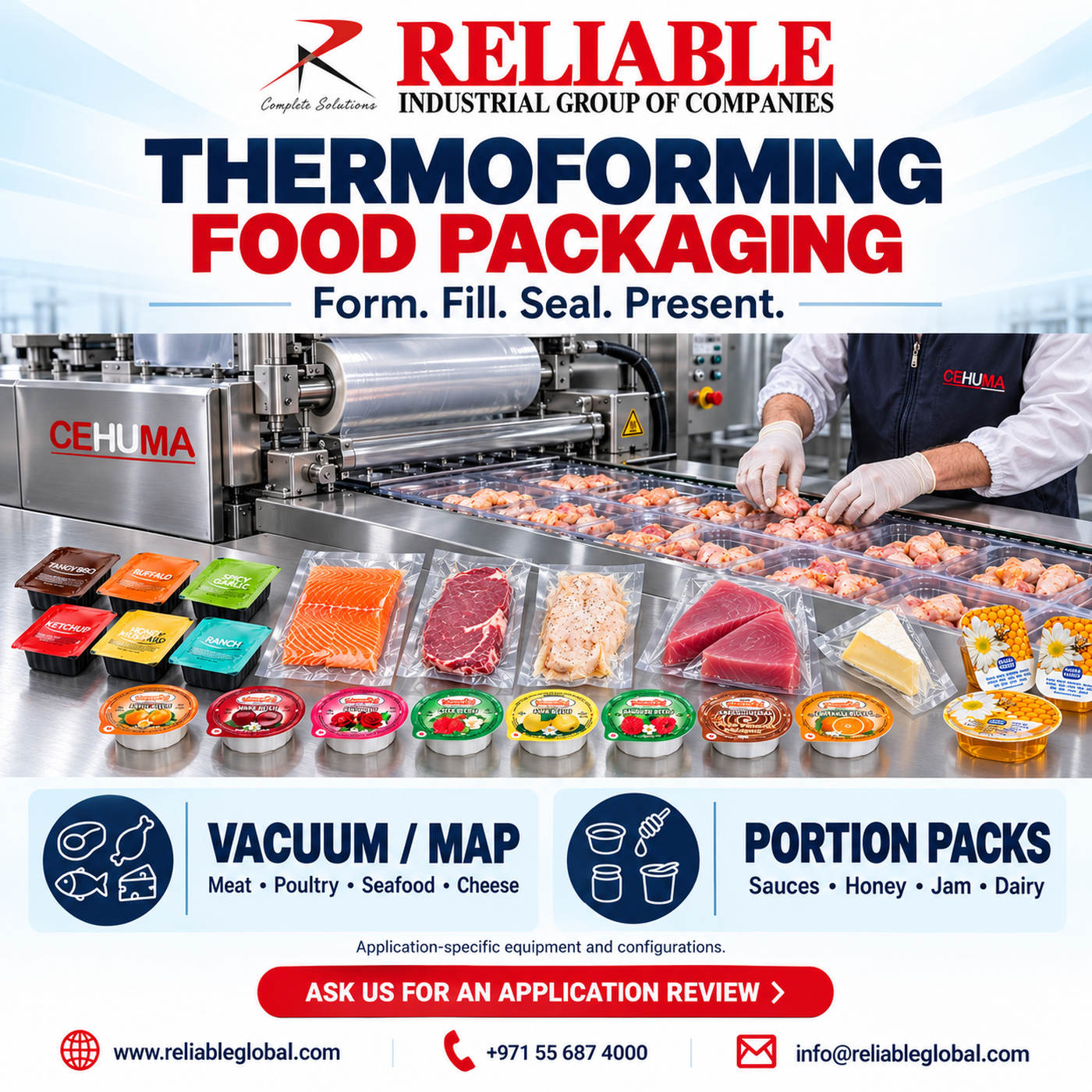
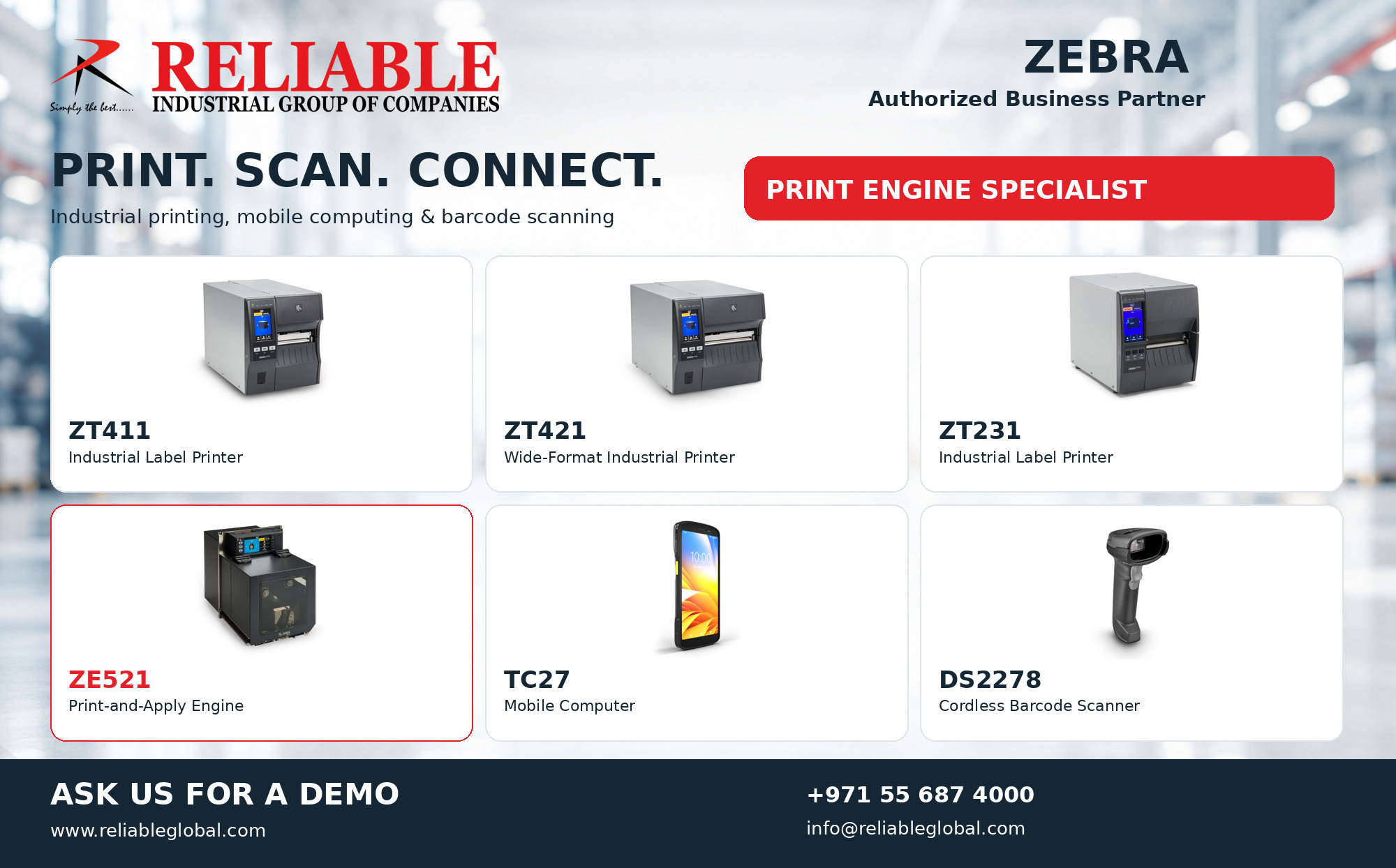
Zebra Industrial Solutions from Reliable: Print, Scan and Connect

Zebra industrial solutions from Reliable featuring ZT411, ZT421, ZT231, ZE521, TC27 and DS2278
Reliable — Zebra Authorized Business Partner and Print Engine Specialist. Ask us for a demo.

RELIABLE · ZEBRA AUTHORIZED BUSINESS PARTNER

Print. Scan. Connect.

Explore Zebra industrial solutions with Reliable, your Zebra Authorized Business Partner and Print Engine Specialist. Discover industrial label printers, print engines, mobile computers and barcode scanners for your business in the UAE.

Every operation has different printing and data capture needs. For example, a packing station may need a label printer, while a production line may need an integrated print-and-apply system. Reliable helps you discuss these requirements and select equipment around your workflow.

Our featured range includes the ZT411, ZT421, ZT231, ZE521, TC27 and DS2278. Together, these products cover several stages of product identification and data capture. However, the right choice depends on your application, media and system requirements.

Zebra industrial solutions for label printing

Start with the label you need to produce. Then, consider its size, material, barcode content and daily volume. These details help you compare the industrial printers below.

ZT411 — Industrial label printer

The Zebra ZT411 supports industrial label printing. Consider it when reviewing barcode labels for your operational workflow. In addition, share a sample label so we can discuss the print configuration and media requirements.

ZT421 — Wider-format industrial printing

The Zebra ZT421 offers an option for wider labels. Therefore, include the full label dimensions when discussing your application. Also, identify the text, symbols and barcodes that must fit within the available print area.

ZT231 — Industrial labelling

The Zebra ZT231 provides another option for industrial label printing. To assess its fit, share your daily output and working environment. Next, review how operators create labels and connect the printer to your existing system.

ZE521 print engine: Reliable’s specialist focus

Need a print engine for an automated labelling system? The Zebra ZE521 serves as a component in a print-and-apply solution. It requires integration with compatible label application equipment.

As a Print Engine Specialist, Reliable focuses on the details that shape this application. For example, label dimensions, applicator layout, product movement and system communication all matter. Therefore, send us a short line video or your existing equipment details to begin the review.

For manufacturer details, visit the official Zebra ZE521 product page.

Mobile computing and barcode scanning

Printing is one part of the workflow. Staff also need to capture and use information. Consequently, your review should include the devices, software and connections involved in each task.

TC27 — Mobile computer

The Zebra TC27 brings mobile computing into your operational workflow. Discuss the information staff need to access while moving between tasks. Then, confirm the application and connectivity requirements before selecting the configuration.

DS2278 — Cordless barcode scanner

The Zebra DS2278 supports cordless handheld barcode scanning. As a result, operators can work without a cable between the scanner and its base. Share your barcode samples and host system details so we can discuss compatibility.

Plan your Zebra industrial solutions with Reliable

To make your enquiry useful, send us a few key details. You can also include photographs of your labels, products or working area.

  • Printing: label dimensions, media type, print content and daily volume.
  • Print-and-apply: line speed, applicator details and product presentation.
  • Scanning: barcode samples, scanning distance and host device.
  • Mobile computing: user tasks, software and connectivity needs.

Next, we can discuss the featured products in relation to your requirements. Learn more about Reliable’s industrial solutions or explore our coding and marking website.

Frequently asked questions

Which Zebra products does Reliable promote?

Our featured range includes ZT411, ZT421 and ZT231 industrial label printers, the ZE521 print engine, the TC27 mobile computer and the DS2278 cordless barcode scanner.

Is the ZE521 a complete label applicator?

No. The ZE521 is a print engine. A complete print-and-apply solution also needs compatible application equipment and integration.

How can I request a demo?

Contact Reliable with your preferred model and application details. Then, our team can discuss a suitable demonstration and the next steps.

Ask us for a demo

Bring your printing and scanning requirements to Reliable. Let’s explore Zebra industrial solutions for your operation.

Zebra Authorized Business Partner
Print Engine Specialist

ASK US FOR A DEMO

Call: +971 55 687 4000
Email: [email protected]
Website: www.reliableglobal.com

Linx 9900 Productivity: Improve Your Coding Operations

Linx 9900 productivity starts with a coding setup that fits your production line. Explore the Linx 9900 Series with Reliable to discuss uptime, product changeovers and code quality. First, tell us about your packaging and required message. Then, ask us for a demo and sample marking on your own products.

Linx 9900 productivity features with Reliable printer, printhead and coded packaging
Linx 9900 Series with Reliable: support uptime, simplify changeovers and review coding quality. Application illustration.

Ask Us for a Demo

Support Linx 9900 Productivity During Power Interruptions

PrintProtect can keep the printer operating for up to three minutes after power loss, followed by a controlled shutdown. However, this protects the printer’s operation; it does not supply power to your conveyor or other line equipment.

Therefore, review the whole production sequence during a demonstration. For example, explain how your line stops and how operators restart it. This helps focus the discussion on the interruptions that matter at your site.

Simplify Message Preparation and Changeovers

Linx Message Studio supports preparing messages on a PC and sending them to the printer. In addition, external message selection can support product changes. These tools help organise coding tasks around your production workflow.

To assess Linx 9900 productivity, bring examples from both frequent and occasional changeovers. Next, compare how operators choose messages, confirm dates and check the first pack. Also, identify who approves changes before production starts.

Review Code Quality with Optional Vision Inspection

The optional Linx Iris vision system checks code presence, correctness and readability. Meanwhile, selecting suitable ink and testing the actual pack remain important steps in achieving a useful result.

For example, define what counts as an acceptable code before the trial. Then, show where staff read the batch number or scan the symbol. If inspection is part of your requirement, discuss how the proposed setup should respond to a failed check.

Linx 9900 Productivity and Maintenance Planning

AutoFlush cleans the printhead during startup and shutdown. For additional cleaning support, the optional SureClean wash station provides an automated cleaning process. Configurable reminders also help teams plan printhead care.

However, maintenance planning should reflect your working environment. Share your shift pattern, cleaning routine and access restrictions. As a result, the application discussion can cover routine operator tasks as well as printing.

Assess Running Costs and Monitoring Options

Linx lists up to 48% lower ink use with its 50-micron printhead option and up to 42% lower solvent use with optional Active Airflow Control. Actual savings depend on the configuration and application. PrinterNet also provides remote printer monitoring.

Therefore, compare costs using your own message, production hours and packaging mix. In addition, identify which alerts your team needs and who will respond. This makes a Linx 9900 productivity review more useful than comparing headline specifications alone.

What to Include in Your Demo Request

Production detailWhat to share
PackagingSample material, surface finish and product photograph
MessageDate format, batch data, symbols and required code size
Line conditionsWorking speed, product spacing and available mounting area
Daily workflowShift pattern, changeover frequency and operator checks
OptionsCleaning, inspection or remote monitoring requirements

First, send the details you already have. Next, bring representative packs for sample marking. Finally, compare the result with your agreed acceptance criteria.

Frequently Asked Questions

Are all accessories included with every printer?

No. SureClean, Iris and other options need a configuration review. Therefore, request a quotation that clearly lists the proposed equipment and accessories.

Will every model print the same message?

Print capability varies across the series. For this reason, confirm the exact model, printhead, ink and message format during the application review.

How can we assess Linx 9900 productivity?

Use your own packaging and a representative production task. Then, review message selection, code appearance, changeover steps and routine care with your operators.

Ask Reliable for a Linx 9900 Series Demo

Explore Reliable’s industrial coding and marking solutions and visit our Datecoder website. For manufacturer information, see the Linx 9000 Series overview.

Ask us for a demo and sample marking. Send your packaging, required code and line speed to start the discussion.

Contact Reliable on WhatsApp

Reliable Industrial Coding and Marking Systems Co LLC
Mobile / WhatsApp: +971 55 687 4000
Email: [email protected]
Website: www.reliableglobal.com

RYNAN i-TIJ Printer: Smart Thermal Inkjet Coding

The RYNAN i-TIJ printer offers modular thermal inkjet coding for production lines. Explore the range with Reliable in the UAE and discuss your packaging, required code and available installation space. First, share your application details. Then, ask us for sample marking to assess the result on your own product.

RYNAN i-TIJ printer with touchscreen and modular printhead for packaging coding from Reliable
RYNAN i-TIJ Series — thermal inkjet coding with Reliable. Application illustration.

Ask Us for Sample Marking

RYNAN i-TIJ Printer Options for Your Packaging

The range includes i-PRO, i-MAX, i-REACH and i-REACH XL printheads. Moreover, it supports standalone use or integration with H-MCS centralised control. A 10-inch HMI and web-browser control provide operating options.

PrintheadApplication focusPublished maximum speed
i-PROSmall text and primary packaging76 m/min at 600 DPI
i-MAXOuter cases; up to 1-inch print height76 m/min at 300 DPI
i-REACHCurved and uneven surfaces60 m/min at 300 DPI
i-REACH XLUneven surfaces needing larger marks45 m/min at 300 DPI

These figures vary by model. Therefore, confirm the intended configuration, ink and message before planning around a maximum speed. See the manufacturer’s RYNAN i-TIJ overview for product details.

Plan Your Batch, Date and Barcode Coding

Start by preparing the exact message you need. For example, include the manufacturing date, batch number and barcode content. Next, identify the available print area and the position where staff will read or scan the code.

In addition, provide a photograph of the finished pack. This helps explain the layout you want without relying only on dimensions. If you have several pack sizes, include each format in the enquiry.

Review the RYNAN i-TIJ Printer on Your Line

A useful application review begins with your actual operating conditions. Therefore, tell us the conveyor speed, product spacing and direction of travel. Also, show the available mounting space and any nearby equipment.

For example, a carton side and a small curved container present different installation questions. Rather than choosing from an image alone, compare the proposed setup with your production layout. This makes the discussion more specific before you request a quotation.

Sample Marking Before Equipment Selection

For your RYNAN i-TIJ printer enquiry, send representative packaging samples with the surface finish you use in production. Then, review code placement, contrast and legibility. In addition, explain how the product travels through packing, storage and handling.

If a barcode forms part of the message, include its required format and data. Next, assess the sample with the reader used in your process. Finally, agree on the acceptance requirements before selecting the equipment.

Frequently Asked Questions

Which RYNAN i-TIJ printer option should I choose?

Start with the packaging surface, code size and working speed. Then, use the model comparison above to guide a sample-marking discussion with Reliable.

What information should I send?

Send packaging photographs, sample material, the required message and your line speed. Also, include the preferred code position and available installation space.

Can I use one sample result for every product?

Different finishes and handling conditions can change the outcome. Therefore, include each important packaging variant in your review.

Ask Reliable for RYNAN i-TIJ Sample Marking

Ready to review a RYNAN i-TIJ printer for your application? Send your details to Reliable and ask us for sample marking. You can also explore Reliable’s industrial coding and marking solutions or visit our Datecoder website.

Contact Us on WhatsApp

Reliable Industrial Coding and Marking Systems Co LLC
Mobile / WhatsApp: +971 55 687 4000
Email: [email protected]
Website: www.reliableglobal.com

Perfume Coding Solutions: Inkjet Coding & Laser Marking

Perfume coding solutions help manufacturers add clear batch and date information to bottles and cartons. Reliable offers inkjet coding and Linx CSL laser marking for suitable perfume packaging in the UAE. First, we review your packaging material and required message. Then, we help you assess the coding method through sample marking.

Reliable perfume coding solutions with inkjet coding and Linx CSL laser marking on bottles and cartons
Inkjet coding and Linx CSL laser marking for perfume packaging. Codes shown include MFG 09/10/2026. Application illustration.

Ask Us for Sample Marking

Perfume Coding Solutions for Premium Packaging

A fragrance pack needs useful product information as well as an attractive finish. For example, a batch number may sit near the bottle base, while a production date appears on the outer carton. As a result, planning both positions together helps you balance readability and presentation.

In addition, your sample should reflect the packaging you actually use. For example, include the bottle colour, coating, label and carton finish. These details give the perfume bottle coding review a practical starting point.

  • Batch and lot identification
  • Manufacturing dates and other required date information
  • Discreet codes on suitable bottle surfaces
  • Readable information on compatible outer cartons

Inkjet Coding for Perfume Bottles and Cartons

For perfume bottle coding, continuous inkjet printing applies variable information without touching the pack. It can mark suitable glass bottles and cartons with batch numbers and dates. Moreover, selecting the right ink helps achieve the required contrast and adhesion.

However, a good-looking code must also withstand your normal handling conditions. Therefore, review drying, rubbing and code placement on your packaging samples. In addition, tell us about any moisture, coatings or product contact that may affect the result.

Linx CSL Laser Marking for Permanent Codes

For fragrance packaging marking, the Linx CSL Series uses CO₂ laser technology to create permanent marks on compatible materials. Because the process uses no ink, it offers another approach to perfume packaging identification. For example, selected glass and carton materials may suit this method.

However, the material and finish influence the appearance of the mark. Therefore, sample testing should confirm the required contrast, position and surface result. See the Linx CSL Series product information for further details.

Perfume Coding Solutions at a Glance

Application needInkjet codingLinx CSL laser marking
Coding methodApplies ink without product contactCreates a mark without ink
Typical informationBatch numbers and datesBatch numbers and dates
Packaging assessmentInk adhesion, drying and contrastMaterial response, mark contrast and finish
Before selectionTest the actual bottle or cartonTest the actual bottle or carton

These perfume coding solutions suit different packaging needs. Therefore, compare sample results against your own presentation and production requirements.

Plan the Code Around Your Production Line

First, plan your perfume bottle coding around the required message and available print area. Next, share the line speed, bottle spacing and coding position. Also, provide photographs of the conveyor and the space around the intended marking point.

As a result, these details help frame the equipment discussion before you select a configuration. For related information, explore Reliable’s industrial coding and marking solutions. You can also visit our Datecoder website.

Perfume Coding Solutions: Frequently Asked Questions

Can you print manufacturing dates on perfume packaging?

Yes, perfume bottle coding systems can apply manufacturing dates and batch details on suitable surfaces. For example, the artwork shows MFG 09/10/2026. However, the final ink, marking method and message layout depend on your packaging.

Will laser marking work on every perfume bottle?

No, because glass composition, coatings and other surface features affect the result. Therefore, test your actual bottle before choosing a laser configuration.

Does a printed code prove that a perfume is genuine?

A visible code alone does not prove authenticity. Therefore, if brand protection is your goal, discuss how fragrance packaging marking will connect with your verification and traceability process.

What should I send for sample marking?

Send a bottle or carton sample, the required message and your preferred code position. In addition, include the line speed and any handling requirements.

Ask Us for Sample Marking

Looking for perfume coding solutions in the UAE? Send your packaging details to Reliable. First, we will discuss the application. Then, sample marking will help you compare code appearance and suitability before making a selection.

Contact Us on WhatsApp for Sample Marking

Reliable Industrial Coding and Marking Systems Co LLC
Mobile / WhatsApp: +971 55 687 4000
Email: [email protected]
Website: www.reliableglobal.com

Linx 9000 Series | Printing Made Easier | Reliable

The Linx 9000 Series — Making printing one less thing to worry about

Explore the Linx 9000 Series with Reliable, featuring the Linx 9900. Start with the coding concerns that matter most to your team. Then ask us for a demo focused on your packaging, production process and required code.

Linx 9000 Series campaign featuring the Linx 9900 printer from Reliable
The Linx 9000 Series — Making printing one less thing to worry about. Ask Reliable for a demo.

Linx 9000 Series: No more worries about lost production time

Optional SureClean cleaning and PrintProtect battery support help address interruptions. First, identify where stops occur on your line. Then use the demo to discuss cleaning routines and short power interruptions.

No more worries about slow changeovers

External message selection supports job changes. For your Linx 9000 Series discussion, bring two typical product codes. Then review the steps operators follow when changing products or lines.

No more worries about rework, rejects or fines

Optional Iris inspection checks codes. However, equipment alone cannot guarantee freedom from fines. Therefore, agree your acceptance criteria and inspection response before introducing a new coding process.

Linx 9000 Series: No more worries about operating costs

Printhead and airflow options can reduce fluid consumption. Therefore, compare a configuration suited to your actual code and workload. In addition, ask for the assumptions behind any running-cost estimate.

No more worries about meeting customer requirements

Print capabilities differ across the Linx 9000 Series. For example, bring your required text, graphics or 2D code to the demo. Then confirm the selected model can produce it at your production speed.

No more worries about operator training

Guided tasks and access controls support operators. In addition, review who creates messages and who approves changes. Furthermore, a clear handover process helps each shift follow the same routine.

Linx 9000 Series: No more worries about maintenance

AutoFlush supports printhead cleaning, while service intervals depend on model. Next, discuss the operating conditions and planned service schedule. Also include maintenance staff when reviewing your Linx 9000 Series setup.

No more worries about monitoring

PrinterNet supports remote status monitoring. Before selecting it, agree which information your team needs and how they will respond to alerts. Also review the connectivity requirements for your site.

No more worries about code adherence or visibility

Ink selection affects contrast and durability. Therefore, test your actual packaging and any later handling or processing. Finally, review the finished code against your customer’s acceptance criteria.

Ask for a Linx 9000 Series demo

Send Reliable your packaging sample, required code and line speed. Also tell us about your operating environment. As a result, we can review which model, ink and options suit the application.

Contact Reliable to arrange a demo. Call +971 4 2896005 or +971 55 6874000, or email [email protected]. For manufacturer details, view the Linx 9000 Series overview.

Features, options and ink compatibility vary by model and configuration. Confirm availability and application suitability with Reliable.

Self-Service Weighbridge Kiosk | Reliable UAE

A self-service weighbridge kiosk brings driver interaction, identification and ticket collection into one place. Reliable can help you explore a setup for your vehicle weighing process in the UAE. First, share your current weighbridge details and the steps each driver follows.

Reliable self-service weighbridge kiosk with touchscreen, RFID reader and ticket printer
Explore a self-service weighbridge kiosk with Reliable. Ask us for a demo.

A weighbridge kiosk for a clear driver workflow

Busy sites need a process that drivers can follow easily. For example, a clear sequence can guide them from identification to ticket collection. Before choosing your setup, map the arrival, weighing and departure stages. Then decide which details drivers must enter and which records your team needs.

The weighbridge kiosk provides a local point of interaction. However, the complete workflow depends on the selected software, weighing interfaces and site equipment. Review these requirements together so that the proposed system matches your operation.

Touchscreen, RFID identification and ticket printing

The kiosk combines a 10.1-inch industrial touchscreen, an integrated RFID proximity reader and a thermal ticket printer with a cutter. In addition, its brushed stainless steel enclosure includes a sun and rain visor. Configurable internal temperature control supports the enclosure setup.

Drivers present a compatible card close to the reader. Next, the configured software guides the required steps. The weighbridge kiosk can provide a printed ticket within the agreed workflow. Therefore, define the ticket fields and identification rules before finalising your application.

Plan your weighbridge kiosk integration

Start with the weighing equipment already on site. Then identify the connections, software functions and mounting position that your project needs. Any link to barriers, traffic lights or cameras requires suitable interfaces and configuration. These functions need a project review before inclusion in the final scope.

Also consider driver access, vehicle height and safe stopping positions. A practical installation should let drivers reach the controls and collect their tickets safely. For this reason, share site photos and a simple lane layout during the discussion.

Ask Reliable for a demo

See how a weighbridge kiosk could fit your operation. For a useful demo discussion, provide your vehicle types, daily traffic and existing weighing indicator details. Also include a sample ticket and any identification requirements. This information helps define the proposed workflow and the equipment it needs.

Contact Reliable to request a demo or discuss your site requirements. You can also explore our coding and marking website at datecoder.com. For enquiries, call +971 4 2896005 or +971 55 6874000, or email [email protected].

Linx 9900 Series – Ask Us for a Demo

Explore the Linx 9900 Series with Reliable in the UAE for continuous inkjet coding on suitable products and packaging. Print batch numbers, dates, logos and barcodes while keeping message setup straightforward. Ask us for a demo using your product and required code.

Linx 9900 Series continuous inkjet printer from Reliable UAE – ask us for a demo
Explore coding options with Reliable. Print capability depends on the selected model and configuration.

Linx 9900 Series: clear codes and simple operation

A 10-inch colour touchscreen helps operators set up messages and access printer functions. In addition, the built-in GS1 code builder guides users through creating GS1 Data Matrix codes. These tools support a clear workflow from message preparation to printing.

The Linx 9900 Series covers different production requirements, so the model choice matters. For example, the base Linx 9900 supports up to three lines of print. For a five-line application, ask Reliable to confirm the appropriate model, printhead and message format during the demo.

Support production during power interruptions

The Linx 9900 Series includes PrintProtect battery backup for up to three minutes of continued printing after a power interruption. If power does not return, the printer completes a controlled shutdown. This helps prepare the printer for its next startup.

For planned line moves, PrintProtect provides up to nine minutes of battery operation without stopping the jet. Also, operators can refill ink and solvent while printing. Discuss your changeover process with Reliable to see how these functions fit your line.

Optional features for your Linx 9900 Series

The optional Linx SureClean wash station cleans and dries the printhead. Meanwhile, customisable cleaning reminders help operators schedule routine care. Together, these functions can support a more consistent maintenance routine.

For Linx 9900 Series code inspection, the optional Iris vision system checks code presence, position, characters and quality. In addition, optional Active Airflow Control can reduce solvent consumption by up to 42%. Confirm the applicable configuration and operating conditions when reviewing potential savings.

See the printer work with your packaging

First, share your actual product or packaging for a Linx 9900 Series demo. Include the material, surface finish and preferred coding position. Also, provide the exact message, character size and number of print lines you need.

Next, tell us your line speed and available installation space. If you use barcodes or 2D codes, explain how your team or customer will scan them. These details help make the demonstration relevant to your production requirements.

Finally, review the sample for readability, placement and resistance to normal handling. Agree on the acceptance criteria with your production and quality teams. Then keep an approved sample as a reference for future setup.

Ask us for a demo

Ready to see the Linx 9900 Series in action? Contact Reliable to request a demo. Send your packaging sample, required code and line speed, and we will discuss the next steps with you.

You can also explore our coding and marking solutions or visit our external website, Datecoder, for related requirements.

Call: +971 4 2896005
WhatsApp: +971 55 6874000 – Request a demo
Email: [email protected]

Industrial Sensors – Detect | Control | Automate

Industrial sensors provide the detection and measurement signals that automation systems need. Explore object detection, distance measurement and rotary encoder solutions with Reliable in the UAE. First, share your part number or application so we can review the required function.

Industrial sensors for object detection, distance measurement and rotary encoder feedback
Detect | Control | Automate. Illustrative product types; final selection depends on application requirements.

Industrial sensors for object detection

Object-detection sensors help identify presence, movement and position. For example, inductive proximity sensors detect metal targets without contact. Photoelectric sensors use light to detect objects, while capacitive and ultrasonic options address other sensing tasks.

Start with the target material and the available mounting space. Also, describe any changes in colour, transparency or surface finish. These details help narrow the sensing principle before you compare individual devices.

Distance measurement for process feedback

Distance sensors provide measurements for monitoring position, spacing or displacement. Available technologies include laser, ultrasonic, radar and inductive sensing. However, each technology has different strengths and operating limits.

For example, define both the nearest and farthest target positions in your process. Then state the smallest change you need to detect. Also, describe vibration, dust, moisture and any variation in the target surface.

Rotary encoders for speed and angle feedback

Rotary encoders provide feedback about shaft movement and angular position. Incremental and absolute designs suit different control requirements. In addition, shaft options and signal interfaces vary between devices.

Before selecting an encoder, confirm the mounting arrangement and the required electrical interface. Next, check the shaft size, resolution and operating speed. If you are replacing an existing unit, send its full label and connector details.

Choosing industrial sensors for your application

A clear requirement helps avoid selecting a device based on appearance alone. First, decide whether the task needs a switching signal or a measured value. Then confirm how the machine controller will receive that signal.

Also, include the supply voltage, output type and connection requirements in your enquiry. Provide photos showing the target and the installation space. For an existing machine, a wiring diagram can help clarify the connection details.

Finally, explain what happens when the target changes or leaves the sensing area. This helps your team define the expected behaviour before installation. Record the agreed acceptance checks so everyone can review the result consistently.

From detection to automation

Industrial sensors supply information; the controller and connected equipment determine the machine response. For example, a presence signal may trigger a coding step, while encoder feedback may support motion coordination. The complete application therefore needs a review of both sensing and control requirements.

If you are comparing a replacement, check mechanical fit and electrical compatibility together. Also, confirm whether the existing settings or controller logic need changes. A matching housing alone does not confirm that two devices are interchangeable.

Send Reliable your part number or application

Ready to discuss industrial sensors? Contact Reliable with your part number, quantity and application details. You can also explore our coding and marking solutions for related production-line requirements.

For our related coding and marking offering, visit Datecoder. Include your preferred contact details so we can follow up on the application review.

Call: +971 4 2896005 | WhatsApp: +971 55 6874000
Email: [email protected]

RYNAN R10H Printer | Handheld Coding | Reliable UAE

The RYNAN R10H printer brings portable batch coding to your packaging workflow. Explore this handheld thermal inkjet system with Reliable in the UAE. First, share your packaging sample and required message so we can review the application.

RYNAN R10H printer for handheld batch and expiry coding on cartons
Illustrative carton coding sample. Confirm ink suitability on your actual packaging.

RYNAN R10H printer features

The R10H offers print height up to 25.4 mm and 300 DPI resolution. In addition, its 5-inch colour touchscreen provides a graphical message interface. Wi-Fi remote access adds another connection option for your coding workflow.

RYNAN lists text, barcodes, serial numbers and expiry dates among its coding applications. The system uses one-inch aqueous or solvent inks. However, ink selection must match the packaging surface and the required print performance.

Portable coding for cartons and packaging

The manufacturer identifies cartons, bottles and pouches among the R10H applications. Also, its handheld format suits coding tasks across production and warehouse operations. Start with the specific pack you need to mark, rather than assuming one ink will suit every material.

For example, send an uncoated carton and a coated carton as separate samples if you use both. Include any labels or surface treatments that may affect the print area. Then identify where your operator can place and read the code easily.

Plan your RYNAN R10H printer sample trial

First, prepare the exact message you want to print. Include the date format, batch number and any variable fields. Also, tell us whether your customer requires a barcode and how they will scan it.

Next, agree on the required character size and the available marking area. Review a sample at the size your team will use in practice. This helps you assess readability before making a purchasing decision.

Finally, check the sample after normal handling and the drying time agreed for the application. If the packaging faces moisture or friction, explain those conditions during the review. Keep an approved sample so your operators have a clear reference.

Prepare your coding workflow

Before introducing a new handheld coder, decide who will approve messages and check the first pack. Also, define how your team will change dates and batch details between jobs. A short checklist can help operators repeat the agreed process.

If you need remote access, share your connection requirements during the application review. Likewise, confirm any software or data integration needs before ordering. This keeps the proposed scope clear for both your production and IT teams.

Ask Reliable for sample marking

To discuss the RYNAN R10H printer, contact Reliable with your samples, code format and expected daily workload. You can also explore our coding and marking solutions for related requirements.

For product details, visit the official RYNAN R10H page. Alternatively, browse our external website, Datecoder.

Call: +971 4 2896005 | WhatsApp: +971 55 6874000
Email: [email protected]

Linx Continuous Inkjet Printer: Less Downtime, Faster Changeovers

Reduce Linx printer downtime and simplify changeovers with continuous inkjet solutions from Reliable in the UAE. The Linx 9000 Series combines cleaning support, short-term battery backup and external message selection. Together, these features help your team spend less time managing coding interruptions.

Reduce Linx printer downtime with SureClean and PrintProtect from Reliable
Linx continuous inkjet printing: less downtime and faster changeovers.

Reduce Linx printer downtime with automatic cleaning

The optional Linx SureClean® wash station cleans the printhead at the push of a button. As a result, operators can use hands-free cleaning during a planned production break. Customisable reminders also help the team fit cleaning into its schedule.

For example, consider cleaning needs alongside shift changes and product runs. Then, choose reminder timings that suit the application. Read more about the Linx SureClean wash station and ask Reliable to confirm compatibility.

Manage Linx printer downtime during power interruptions

Linx PrintProtect® keeps the printer running for up to three minutes after a power interruption. It then performs a controlled shutdown. Therefore, this feature provides short-term printer backup; it does not supply power to the conveyor or the rest of the line.

To manage Linx printer downtime, review how your line responds to a power loss. Also, explain how operators restart production. This information helps frame the discussion around the complete coding process.

Make line changeovers faster

For planned line moves, PrintProtect provides nine minutes of battery power. Consequently, operators can unplug and move the printer without restarting the jet. Keep this line-move function separate from the three-minute power-interruption sequence when planning your workflow.

In addition, external systems can select messages in real time. This supports quicker changeovers and helps reduce selection errors. Before choosing an interface, identify the system that will send each message and the checks your team needs before production resumes.

Plan your continuous inkjet application with Reliable

To discuss ways to reduce Linx printer downtime, send Reliable your product details, packaging material and required code. Include your line speed, changeover frequency and available space. If you move printers between lines, also describe the route and typical transfer time.

Next, request sample marking on your actual packaging. Check the code position and readability with your team. Also, discuss the cleaning routine and message-selection process before choosing the final configuration.

Explore our coding and marking solutions or contact Reliable for an application review. For manufacturer feature details, visit the Linx 9000 Series product page.

Ask for sample marking: +971 4 2896005 / +971 55 6874000. Email [email protected].

SureClean is an optional wash station. Confirm printer model, PrintProtect configuration, compatibility and regional availability when requesting a quotation.