
Zebra ZE511 Print & Apply Solutions | Reliable UAE
Zebra ZE511 print engines support automated label printing within a print-and-apply system. Reliable brings your carton labelling requirements into focus as a Certified Print Engine Specialist. First, share your label sample and line details so we can discuss a suitable setup.
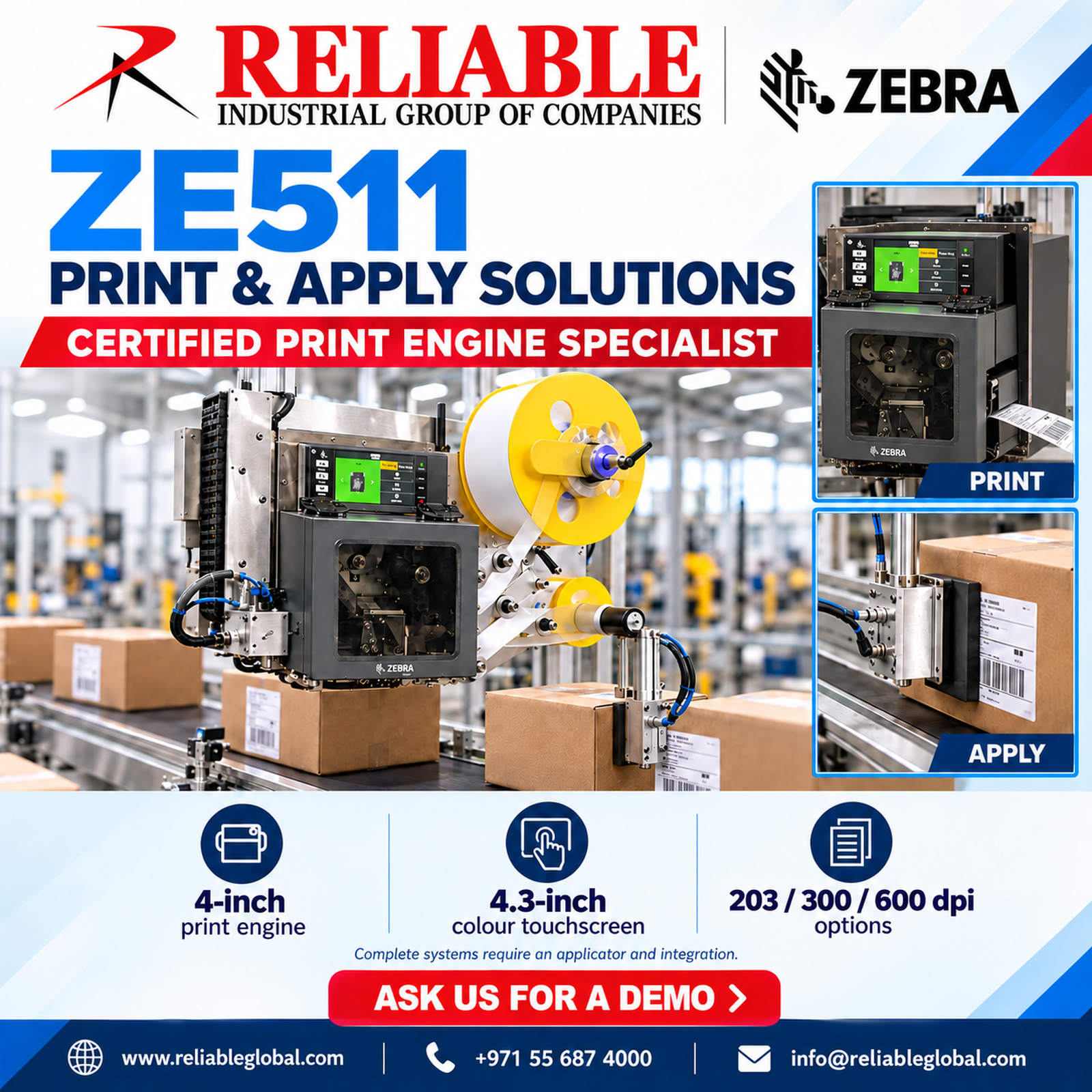
Zebra ZE511 for automated labelling
The ZE511 is a 4-inch industrial print engine with a maximum print width of 104 mm. It supports direct thermal and thermal transfer printing. In addition, its 4.3-inch colour touchscreen provides access to settings and operating information.
Print the label. Apply it to the carton.
First, the print engine produces the label from your selected data and layout. Next, compatible application equipment transfers the label onto the pack. Therefore, a complete project needs both printing and application requirements.
For a Zebra ZE511 installation, define the label position and how each carton arrives at the labelling point. Also confirm whether packs stop or continue moving during application. These details help shape the overall system.
Zebra ZE511 print resolution options
The range offers 203 dpi, with optional 300 dpi and 600 dpi configurations. However, the right choice depends on the label design and required detail. For example, share your smallest text and barcode samples before selecting a configuration.
In addition, match the label material and ribbon to the carton surface and working conditions. Then, assess printed samples for readability and adhesion. Learn more in the official Zebra ZE511 specification sheet.
Plan connections and data
The print engine includes an applicator interface and wired communication options such as Ethernet, USB and serial. As a result, the application review should cover both label data and machine signals. Your integrator must confirm compatibility with the wider line.
For your Zebra ZE511 project, identify where product, batch and shipping information originates. Then, define who selects the label and how the system handles a missing or incorrect message. This makes the workflow easier to assess before installation.
What to send Reliable
To begin your review, send the following details. Photos or a short line video can also help explain the application.
- Carton dimensions, weight and surface material.
- Label size, artwork and barcode samples.
- Required label position and placement tolerance.
- Line speed, carton spacing and target output.
- Available installation space and utilities.
- Software, data source and control requirements.
Next, we can discuss the Zebra ZE511 in relation to your application. Explore Reliable’s industrial solutions and our coding and marking website for related production needs.
Assess the complete workflow
Finally, a useful demonstration should reflect your labels, cartons and operating conditions. Check print quality, label placement and handling together. Also agree how the line will identify and respond to an unsuccessful application.
Ask us for a Zebra ZE511 demo
Reliable — Certified Print Engine Specialist.
Share your label sample and production requirements. Then, our team can discuss a suitable demonstration and the next steps.