Linx 9900 Productivity: Improve Your Coding Operations
Linx 9900 productivity starts with a coding setup that fits your production line. Explore the Linx 9900 Series with Reliable to discuss uptime, product changeovers and code quality. First, tell us about your packaging and required message. Then, ask us for a demo and sample marking on your own products.
Support Linx 9900 Productivity During Power Interruptions
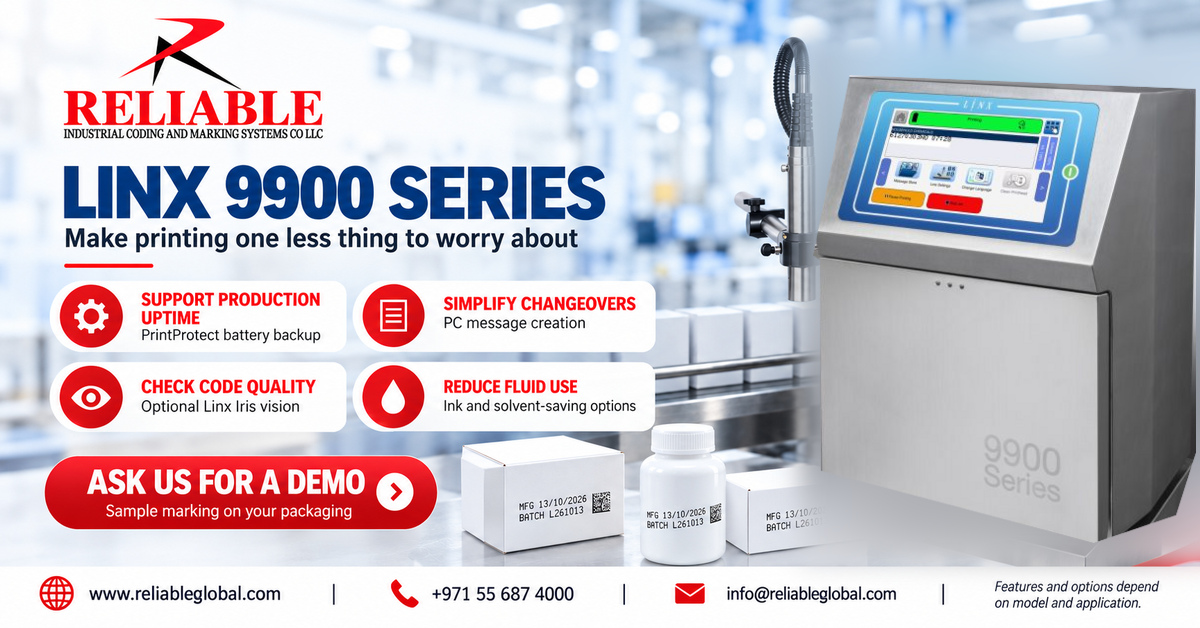
PrintProtect can keep the printer operating for up to three minutes after power loss, followed by a controlled shutdown. However, this protects the printer’s operation; it does not supply power to your conveyor or other line equipment.
Therefore, review the whole production sequence during a demonstration. For example, explain how your line stops and how operators restart it. This helps focus the discussion on the interruptions that matter at your site.
Simplify Message Preparation and Changeovers
Linx Message Studio supports preparing messages on a PC and sending them to the printer. In addition, external message selection can support product changes. These tools help organise coding tasks around your production workflow.
To assess Linx 9900 productivity, bring examples from both frequent and occasional changeovers. Next, compare how operators choose messages, confirm dates and check the first pack. Also, identify who approves changes before production starts.
Review Code Quality with Optional Vision Inspection
The optional Linx Iris vision system checks code presence, correctness and readability. Meanwhile, selecting suitable ink and testing the actual pack remain important steps in achieving a useful result.
For example, define what counts as an acceptable code before the trial. Then, show where staff read the batch number or scan the symbol. If inspection is part of your requirement, discuss how the proposed setup should respond to a failed check.
Linx 9900 Productivity and Maintenance Planning
AutoFlush cleans the printhead during startup and shutdown. For additional cleaning support, the optional SureClean wash station provides an automated cleaning process. Configurable reminders also help teams plan printhead care.
However, maintenance planning should reflect your working environment. Share your shift pattern, cleaning routine and access restrictions. As a result, the application discussion can cover routine operator tasks as well as printing.
Assess Running Costs and Monitoring Options
Linx lists up to 48% lower ink use with its 50-micron printhead option and up to 42% lower solvent use with optional Active Airflow Control. Actual savings depend on the configuration and application. PrinterNet also provides remote printer monitoring.
Therefore, compare costs using your own message, production hours and packaging mix. In addition, identify which alerts your team needs and who will respond. This makes a Linx 9900 productivity review more useful than comparing headline specifications alone.
What to Include in Your Demo Request
| Production detail | What to share |
|---|---|
| Packaging | Sample material, surface finish and product photograph |
| Message | Date format, batch data, symbols and required code size |
| Line conditions | Working speed, product spacing and available mounting area |
| Daily workflow | Shift pattern, changeover frequency and operator checks |
| Options | Cleaning, inspection or remote monitoring requirements |
First, send the details you already have. Next, bring representative packs for sample marking. Finally, compare the result with your agreed acceptance criteria.
Frequently Asked Questions
Are all accessories included with every printer?
No. SureClean, Iris and other options need a configuration review. Therefore, request a quotation that clearly lists the proposed equipment and accessories.
Will every model print the same message?
Print capability varies across the series. For this reason, confirm the exact model, printhead, ink and message format during the application review.
How can we assess Linx 9900 productivity?
Use your own packaging and a representative production task. Then, review message selection, code appearance, changeover steps and routine care with your operators.
Ask Reliable for a Linx 9900 Series Demo
Explore Reliable’s industrial coding and marking solutions and visit our Datecoder website. For manufacturer information, see the Linx 9000 Series overview.
Ask us for a demo and sample marking. Send your packaging, required code and line speed to start the discussion.
Reliable Industrial Coding and Marking Systems Co LLC
Mobile / WhatsApp: +971 55 687 4000
Email: [email protected]
Website: www.reliableglobal.com