Automated Weighbridge System: From Gate Entry to Final Weighment Ticket
What Is an Automated Weighbridge System?
An automated weighbridge system is a digital solution that controls and records vehicle weighing transactions with minimum manual intervention. It connects the weighbridge indicator, software, cameras, sensors, vehicle identification devices, traffic lights, barriers, and ticket printers into one controlled workflow.
The objective is simple: make every truck transaction faster, more accurate, and more traceable.
Step 1: Vehicle Entry and Identification
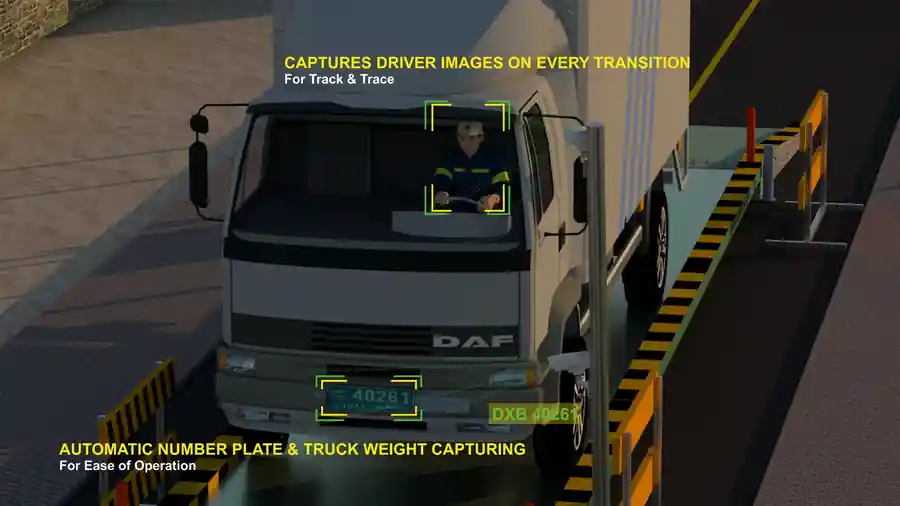
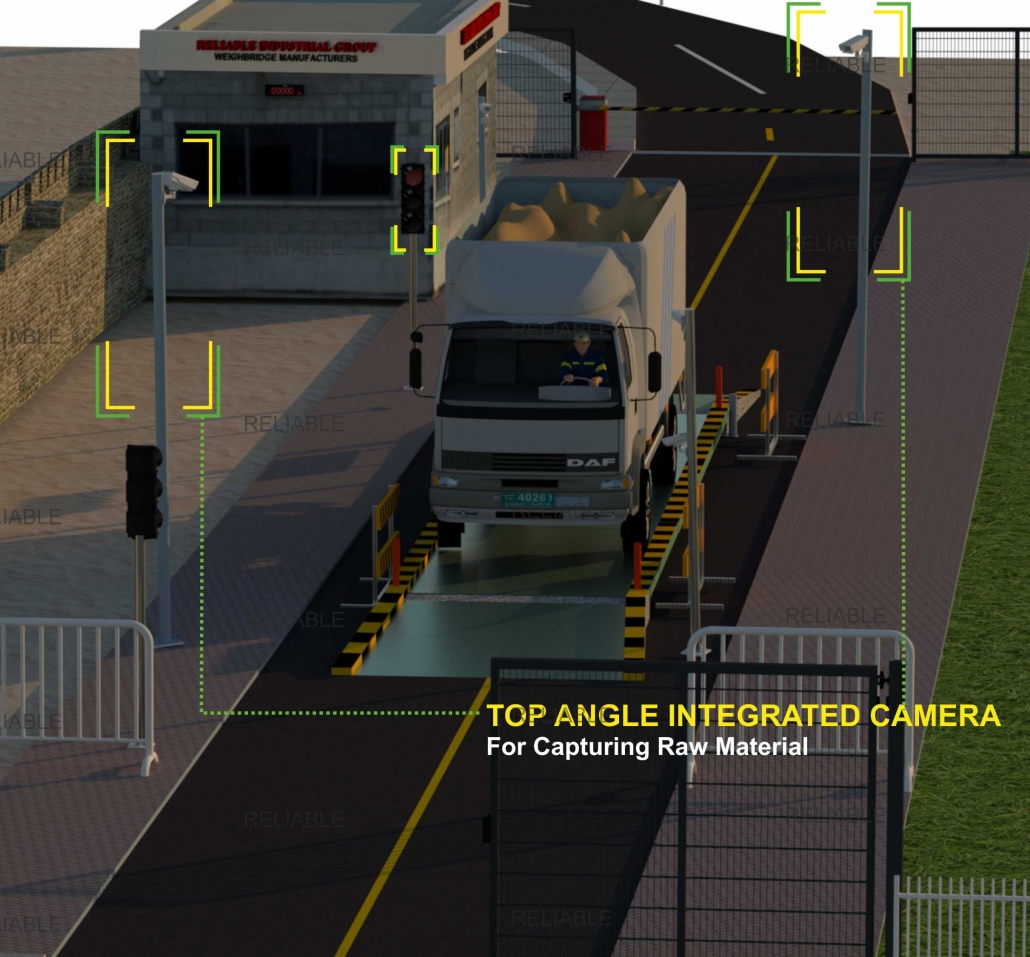
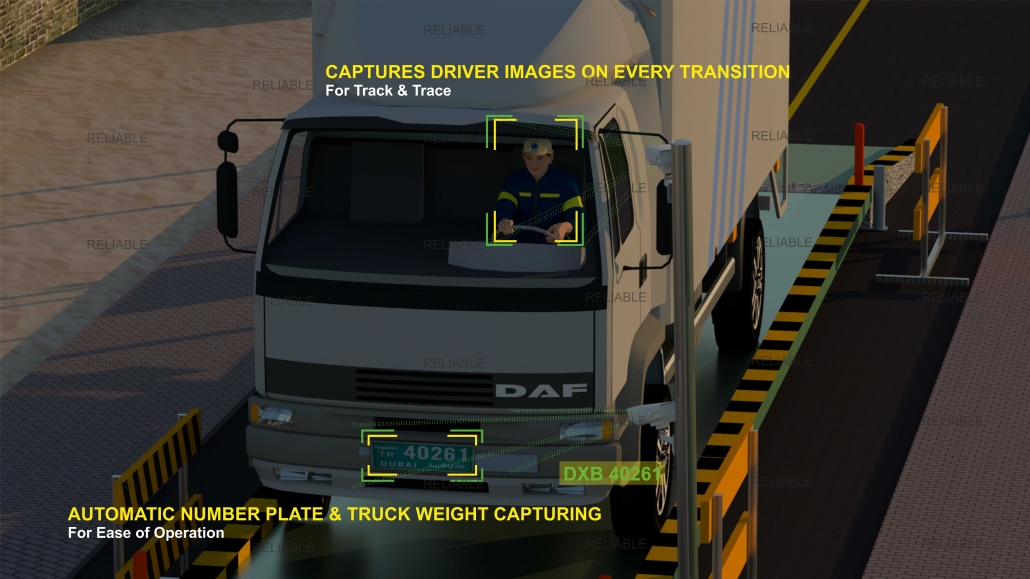
The process usually starts when a truck reaches the entry point. The system identifies the vehicle using RFID, ANPR, QR code, vehicle number, or gate pass. If the vehicle is registered and the job is valid, the system allows the driver to proceed.
This step helps avoid unauthorized vehicle entries and reduces manual typing of vehicle numbers.
Step 2: Weighbridge Access Control
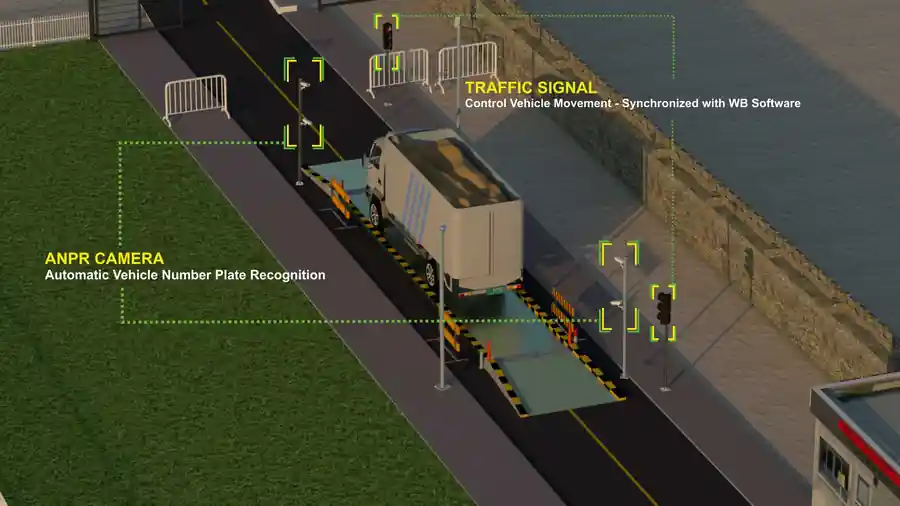
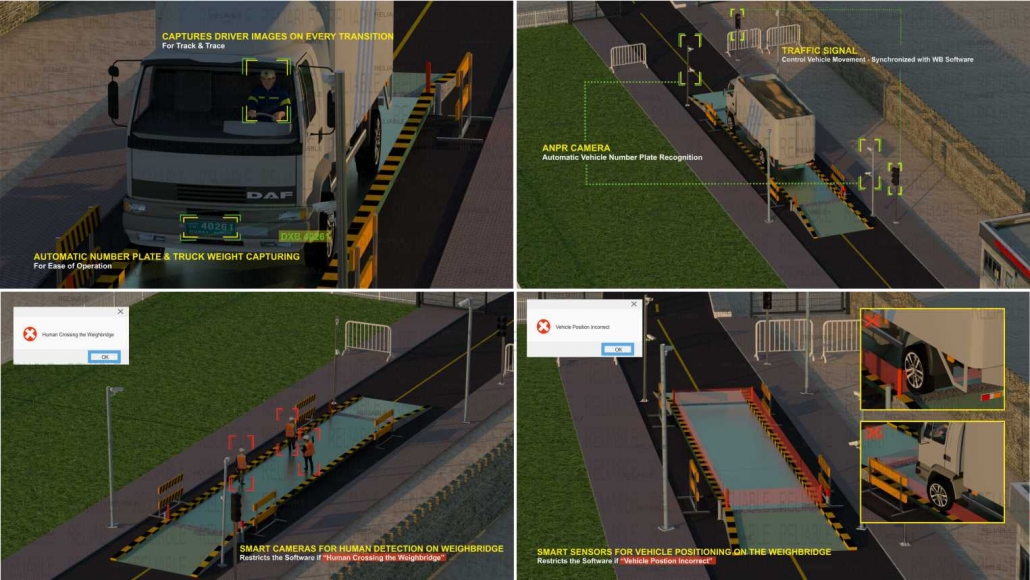
Traffic lights and boom barriers can be integrated to control vehicle movement. The driver receives a green signal only when the weighbridge is available. This prevents multiple vehicles from entering the platform area at the same time.
Step 3: Vehicle Position Validation
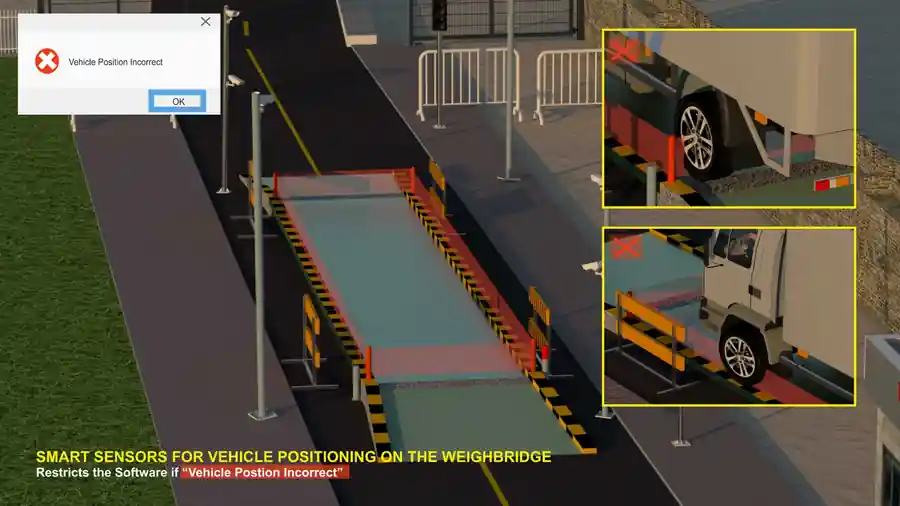
Position sensors check whether the truck is correctly placed on the weighbridge. If the vehicle is not fully positioned, the system can block the transaction and instruct the driver to adjust the vehicle.
This prevents wrong weight capture caused by partial placement, overhang, or incorrect alignment.
Step 4: Weight Capture
The weighing indicator sends the live weight to the software. Once the reading is stable, the software captures the weight automatically. This reduces operator dependency and manual entry mistakes.
Step 5: Image and Evidence Capture
Camera integration helps capture evidence for each transaction. The system can store images of the number plate, vehicle, material, driver area, and weighbridge platform. These records are useful for dispute handling, audits, and fraud prevention.
Step 6: Ticket Generation and Data Storage
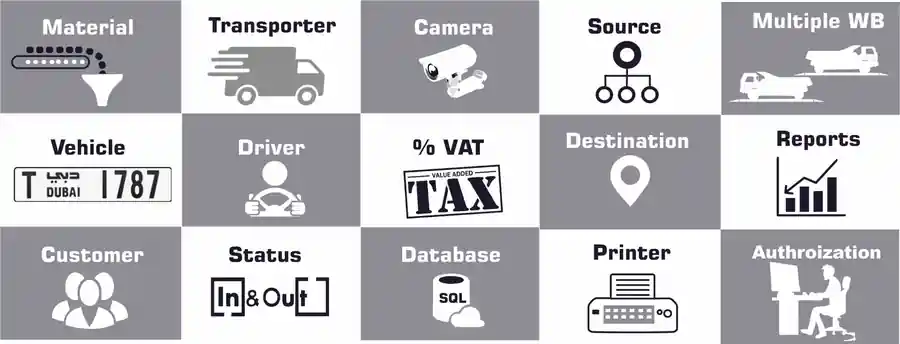
After the weighing is completed, the system can print a ticket and store the record in a database. The ticket may include vehicle number, material, customer, supplier, gross weight, tare weight, net weight, time, operator or system ID, and image reference.
Step 7: ERP, Cloud, or Reporting Integration
The transaction data can be connected with ERP, dispatch, inventory, or cloud reporting systems. This helps management monitor material movement across one or multiple locations.
Conclusion
An automated weighbridge system improves operational control by connecting vehicle identity, weighing data, cameras, sensors, and reporting into one reliable process. For busy industrial sites, this can reduce delays, improve accuracy, and support better business decisions.
Yes, if the site workflow is designed with proper identification, control, sensors, and software rules.
Yes, it can manage first weighing, second weighing, and net weight calculation.